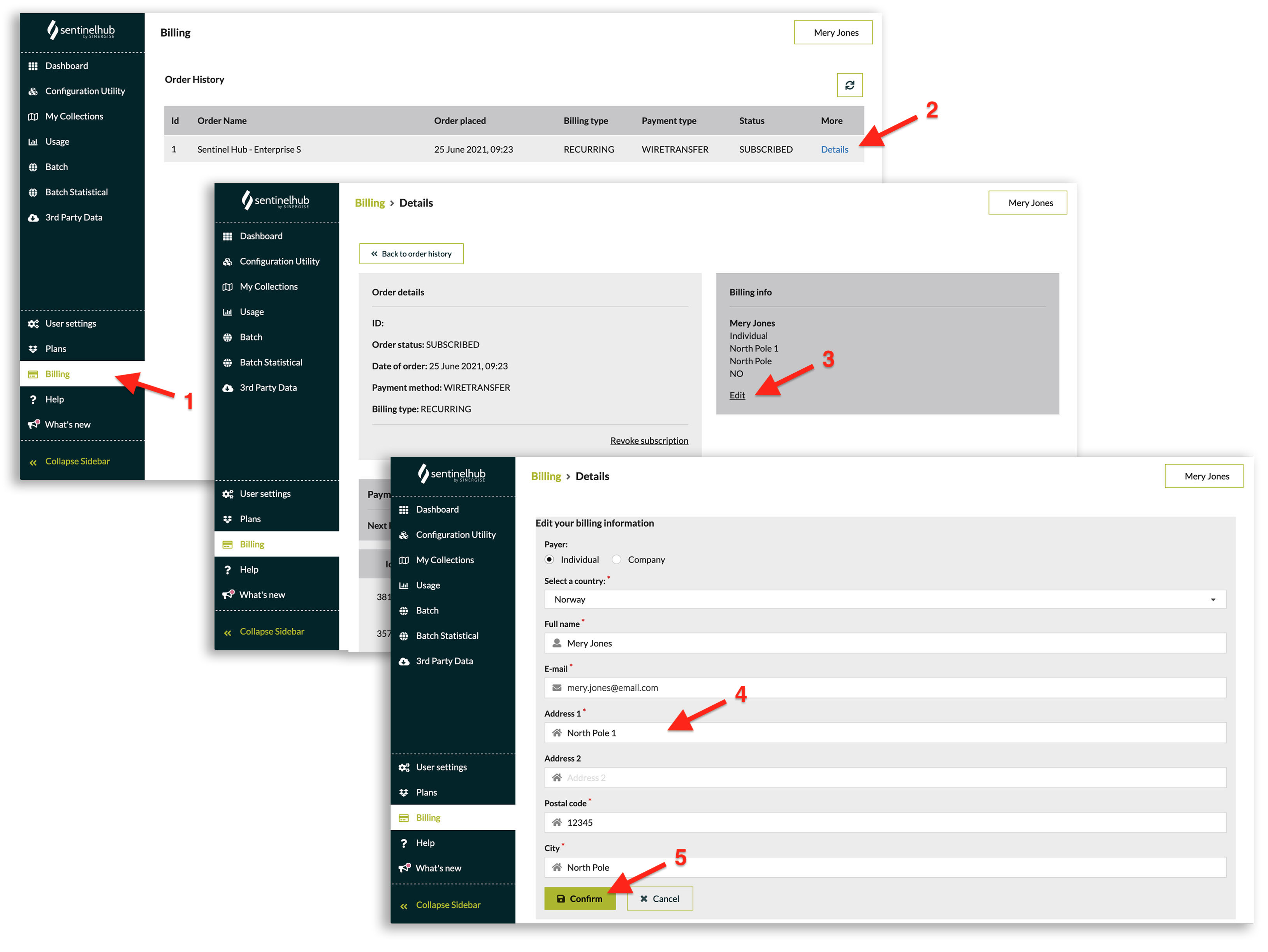
To change your credit card details, please log in to the Sentinel Hub Dashboard and follow these steps:
- Go to the Billing tab.
- Click on the “Details” link of your active subscription.
- Click on the “Edit” on the billing info (top right).
- Change your address.
- Confirm the change by clicking on the “Confirm” button.